Design every screen of your product, and ship it as code

An AI UI designer that turns one prompt into a full app flow and design system, then exports it to Next.js

Enter to generate
Or see real examples
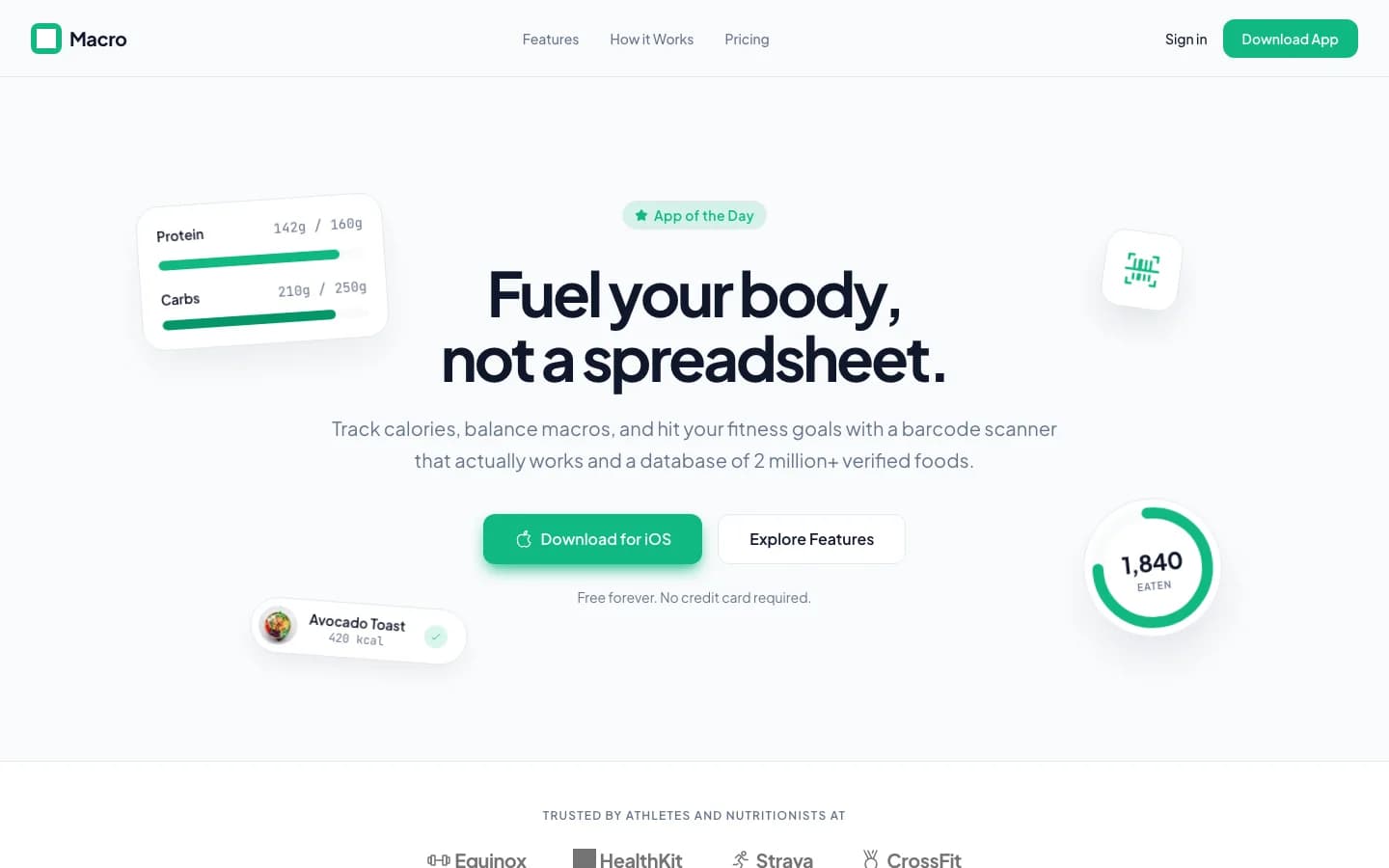
Macro, a calorie tracker landing page generated by Wirefraime

Real projects,
straight out of Wirefraime.

Not mockups. Two mobile apps and a landing page, each generated from a single brief. Hover a screen to scroll it.

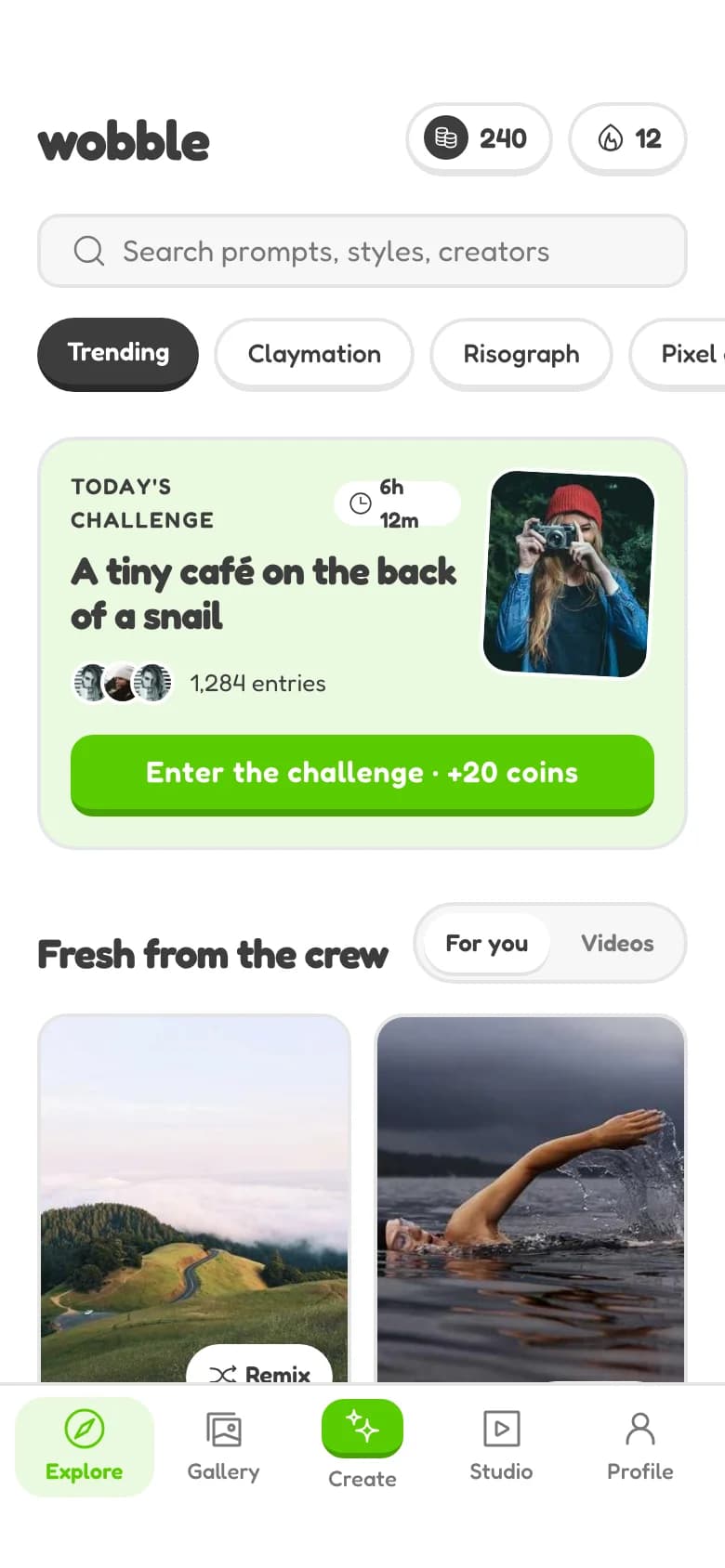
Explore screen generated by Wirefraime
9:41
Explore
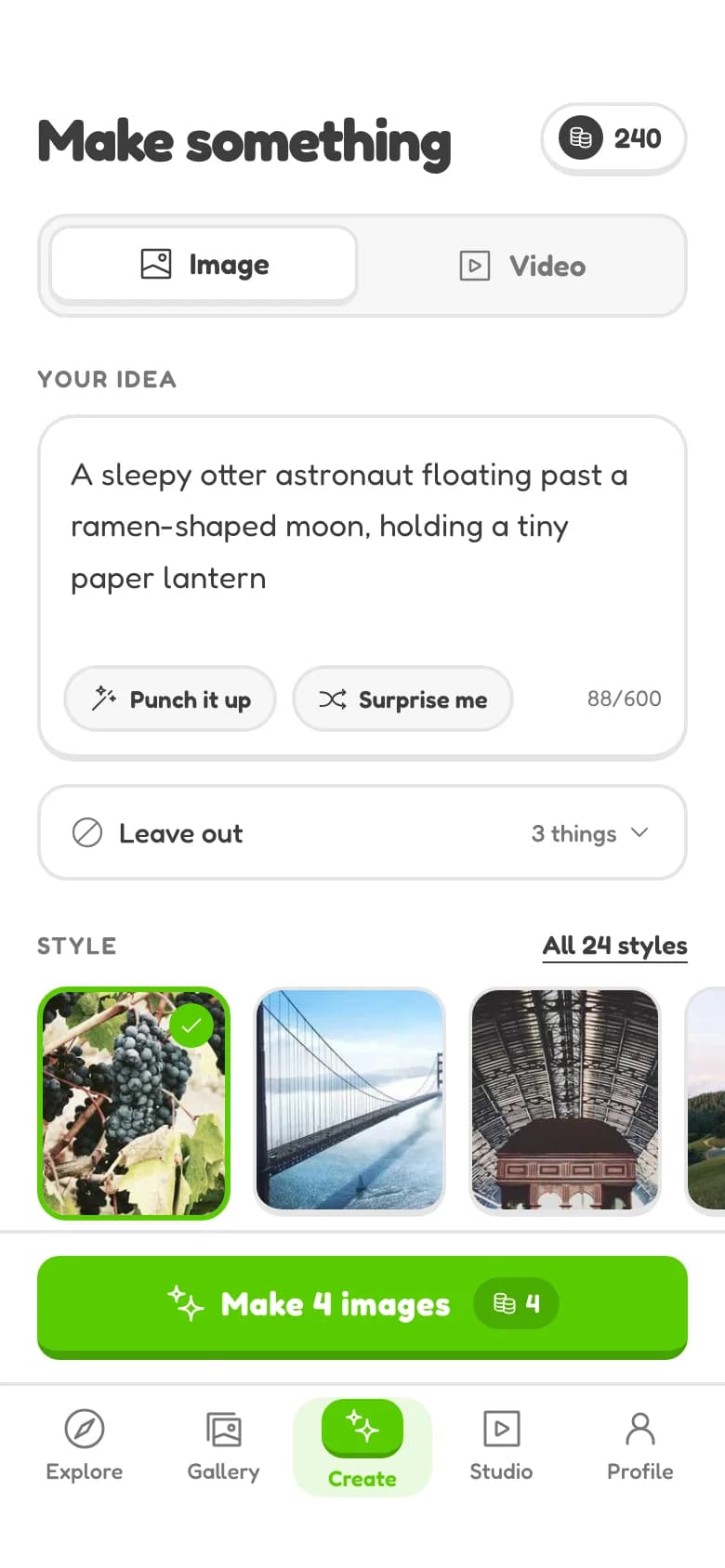
Create screen generated by Wirefraime
9:41
Create
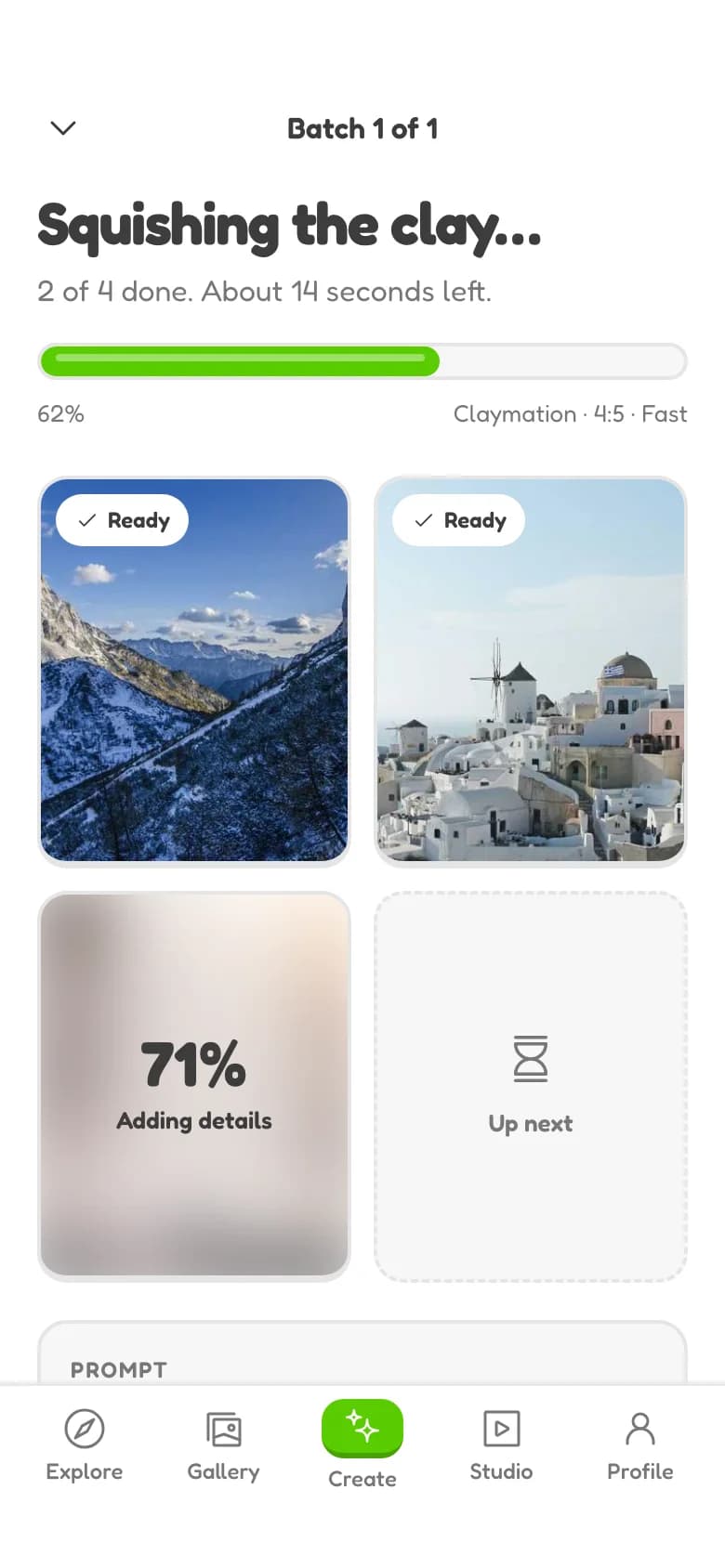
Generating screen generated by Wirefraime
9:41
Generating
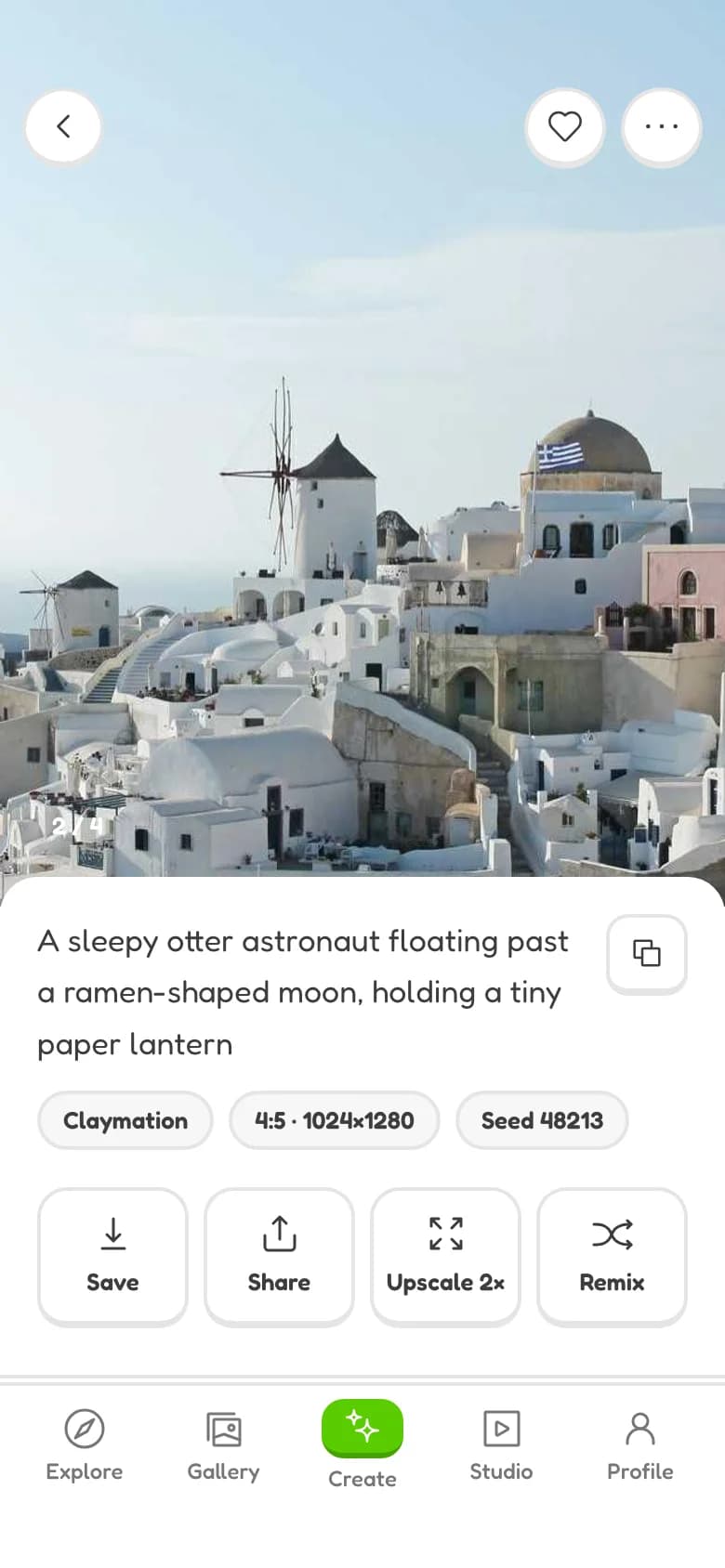
Result screen generated by Wirefraime
9:41
Result
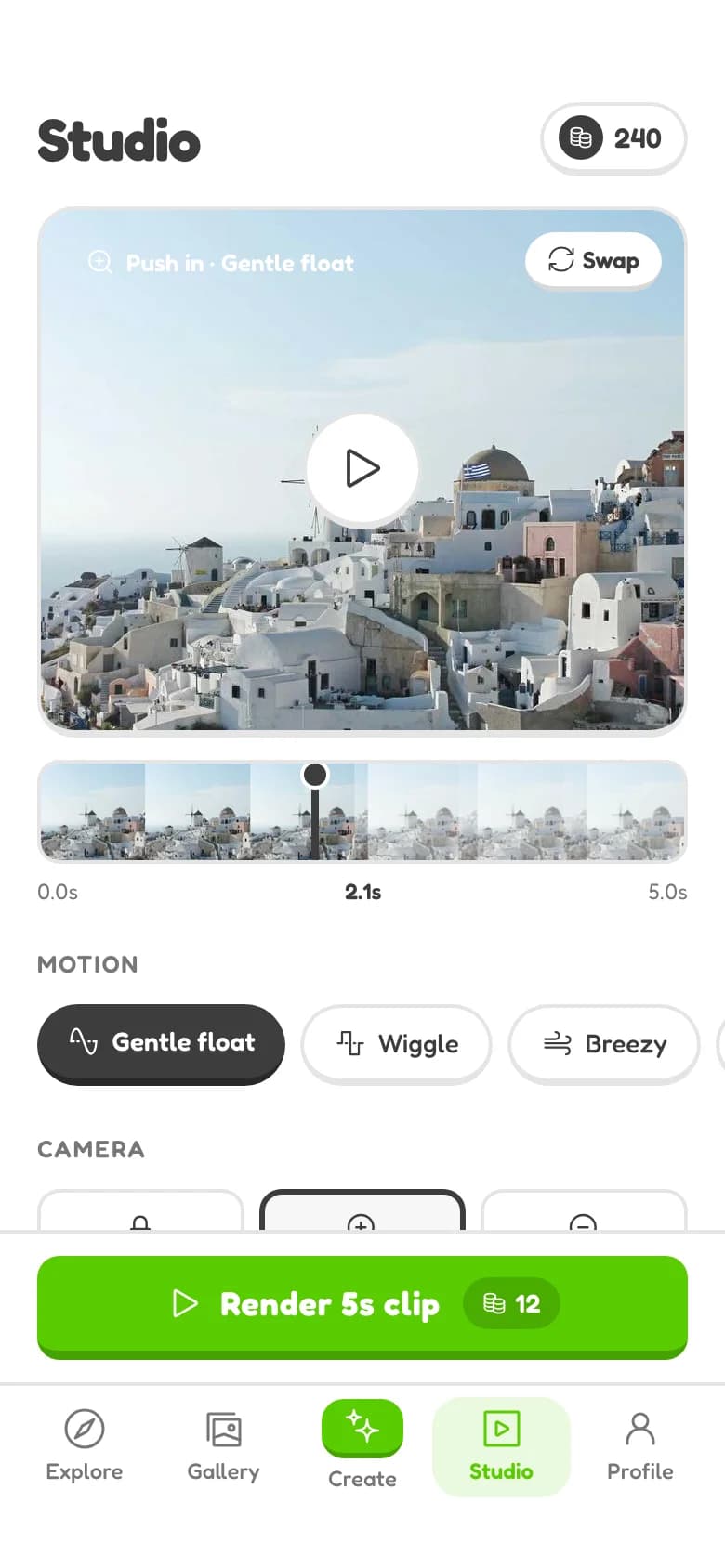
Video Studio screen generated by Wirefraime
9:41
Video Studio
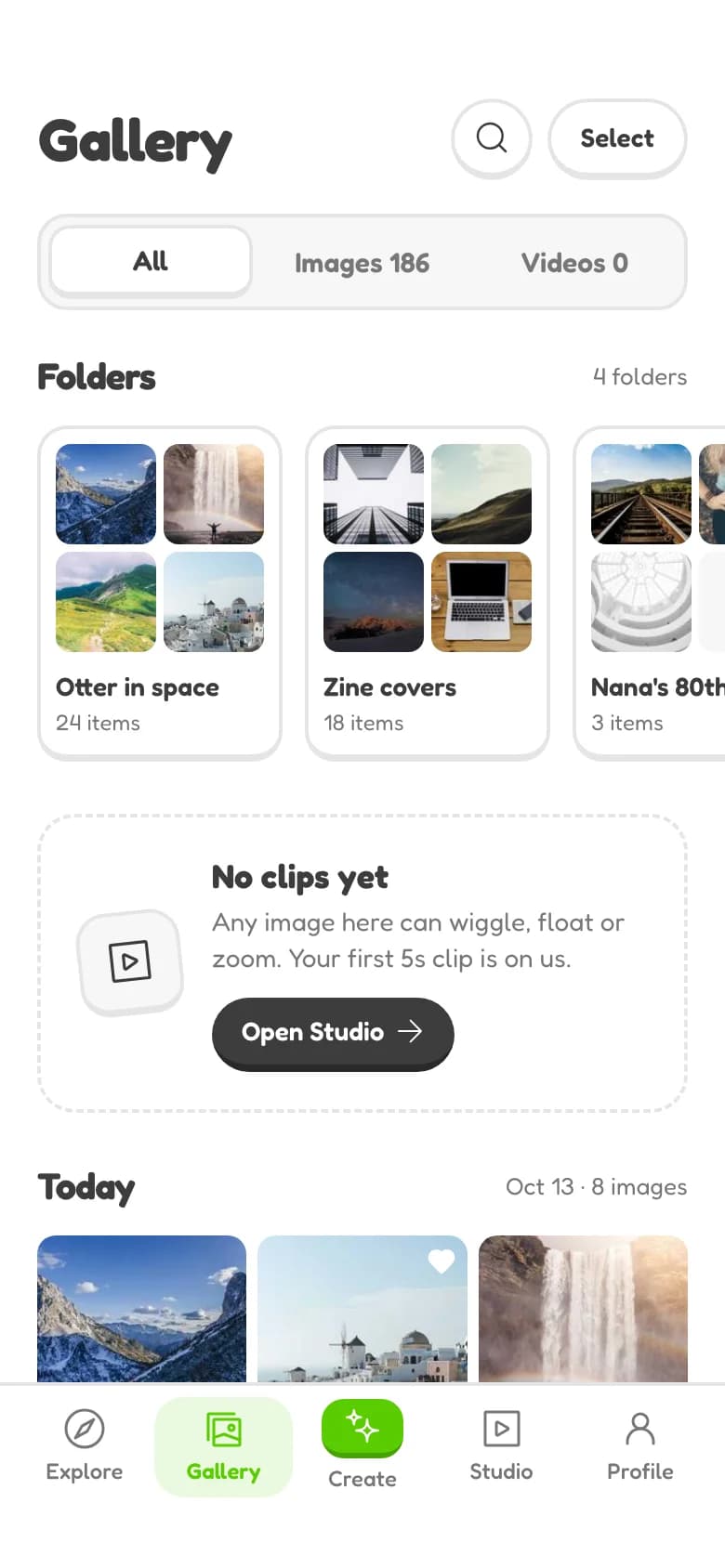
My Gallery screen generated by Wirefraime
9:41
My Gallery
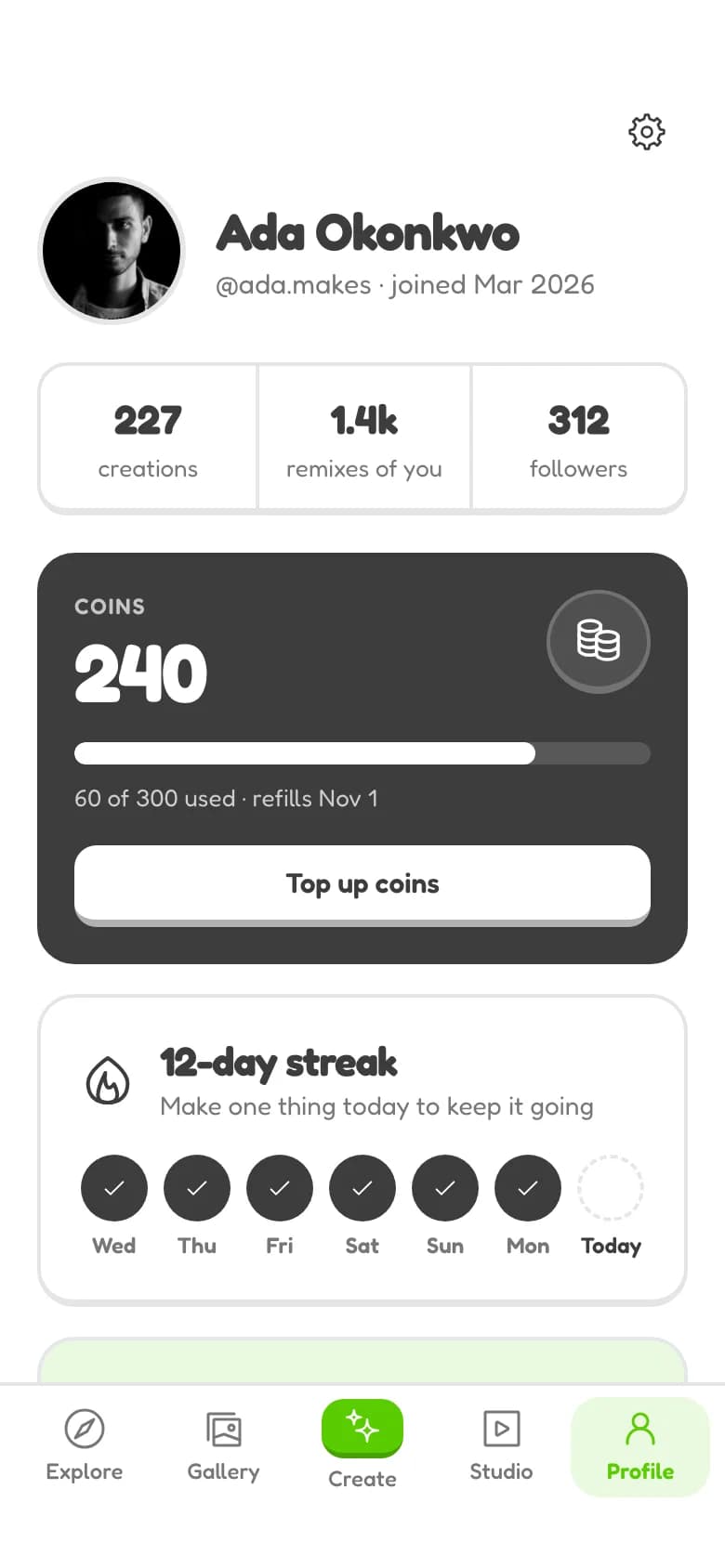
Profile screen generated by Wirefraime
9:41
Profile

Mobile app · 7 screens · 6m 9s

Wobble, from a six-word prompt

The whole brief was “AI image and video generator app”. Wirefraime answered with a plan first: seven screens and a direction it described as “a chunky, tactile creative toy”. Once approved, it designed every screen as one connected flow with a shared tab bar.
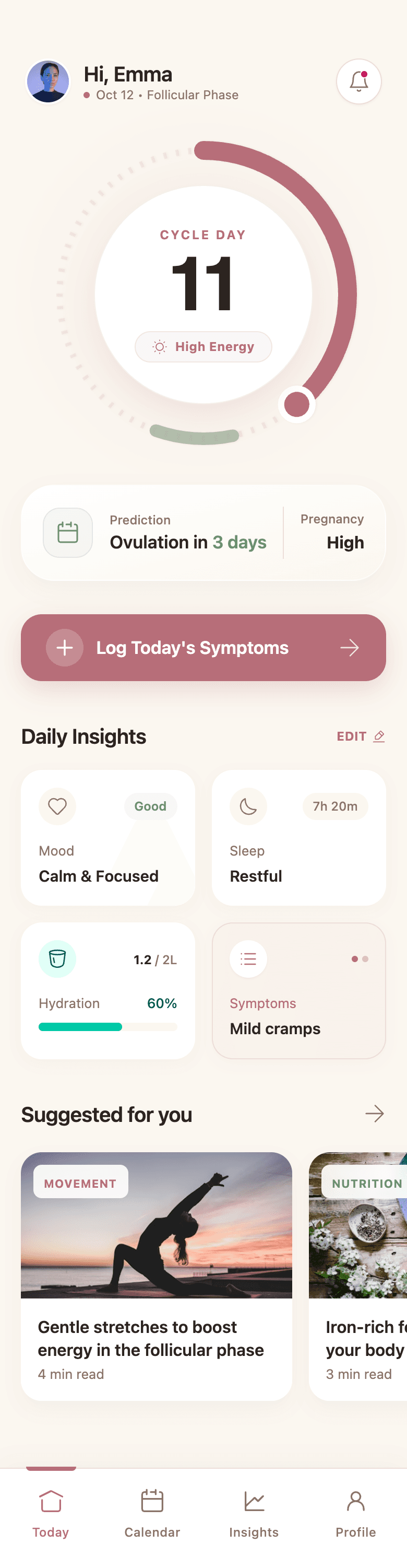
Today screen generated by Wirefraime
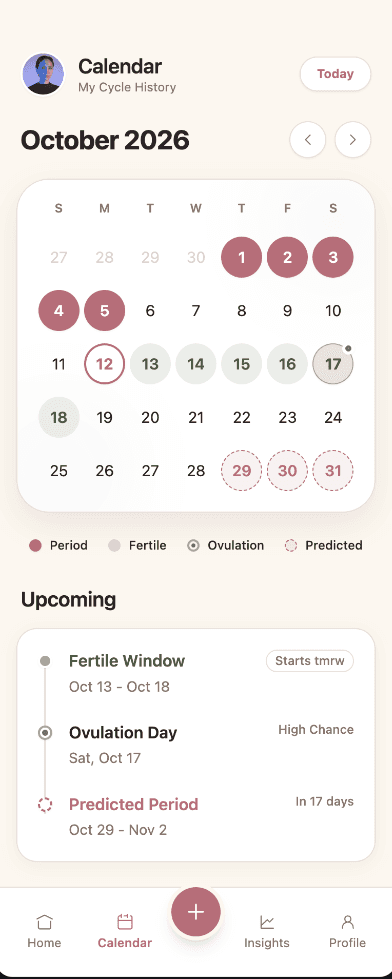
Cycle calendar screen generated by Wirefraime
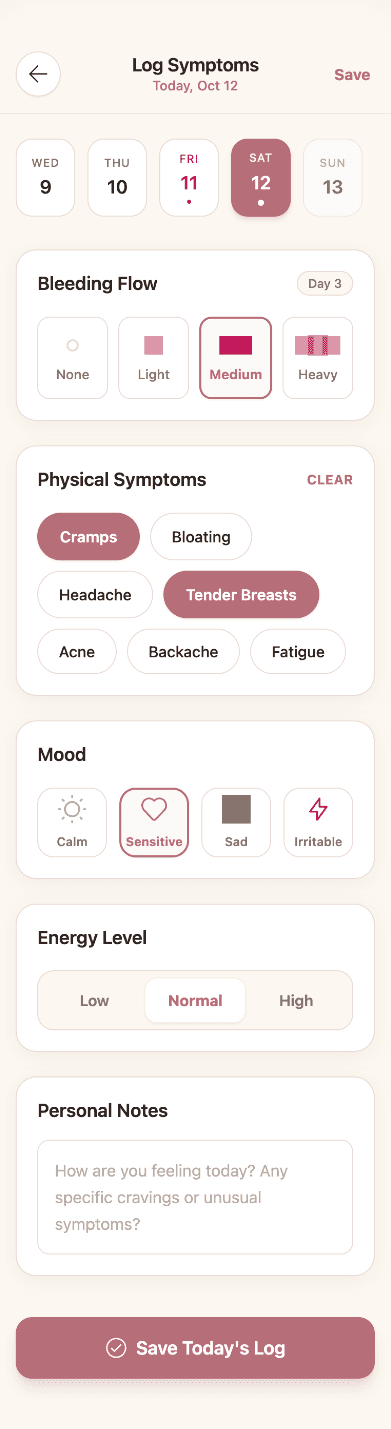
Symptom logger screen generated by Wirefraime

Track Cycle, a five-screen mobile app

From the prompt “Create women period track and health mobile app”. One connected flow and one design system, generated in 6m 55s.

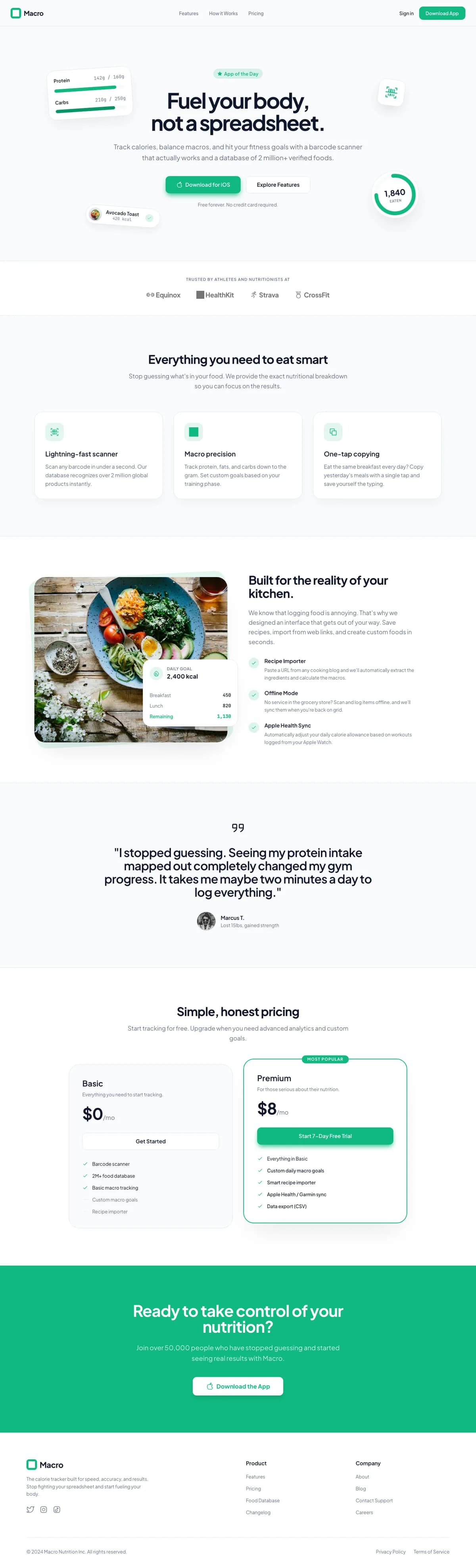
The full Macro landing page generated by Wirefraime

Macro, a full landing page

From the prompt “Create landing page for calorie tracker app”. Nine sections set in Plus Jakarta Sans + JetBrains Mono, delivered as one HTML file in 2m 3s.

Open the live page

Everything between
idea and interface.

Plan the flow, design every screen, refine it by chatting, and export code your team can ship.

Canvas

Every screen, in one connected flow.

Wirefraime plans the screens your product needs, then designs them together so navigation, spacing and components line up from the first screen to the last.

Features

  • Multi-screen flows
  • Shared navigation
  • Mobile, tablet and web
Today screen generated by Wirefraime

Chat editing

Click anything. Describe the change.

Select an element on the canvas or just say what you want. Edits land in place, and changes that should apply everywhere update every screen at once.

Features

  • Click-to-edit
  • Edits across all screens
  • Undo and redo

Chat

What would you like to change?

Make the bottom nav floating and add a search bar to every screen

Done. Updated across 4 screens.

  • TodayEdited
  • Cycle calendarEdited
  • Symptom loggerEdited
  • InsightsEdited

Design system

One design system behind every screen.

Colours, type, radius and components are generated with the app and shared by every screen, so new screens and edits stay on brand.

Features

  • Generated tokens
  • Brand presets
  • Live token editing

Tokens

Primary

Surface

Sage

Mint

Ink

Heading

Aa

Radius

Button

Primary

Export

Export real, readable code.

Take the result anywhere: clean HTML with Tailwind, a full Next.js project, or 2x PNGs for handoff. No lock-in, and the code is yours.

Features

  • Next.js project
  • HTML + Tailwind
  • PNG per screen

Next.js

Full project

Tailwind

Utility classes

HTML

One file per screen

PNG

2x per screen

$ unzip my-app.zip && cd my-app

$ npm install && npm run dev

▲ Next.js ready on http://localhost:3000

Simple pricing.

Three plans. Switch or cancel any time.

Starter

Kick the tires and design your first few screens.

$5/ mo

Billed monthly

  • 7 screens / month
  • Full component library
  • HTML & Next.js export
  • PNG export per screen
  • Chat refinement
  • Design system generation

Pro

Everything you need to ship your first product.

$20/ mo

Billed monthly

  • 40 screens / month
  • Full component library
  • HTML & Next.js export
  • PNG export per screen
  • Chat refinement
  • Design system generation

UltraMost popular

For teams designing multiple products at once.

$40/ mo

Billed monthly

  • 100 screens / month
  • Full component library
  • HTML & Next.js export
  • PNG export per screen
  • Chat refinement
  • Design system generation

Secure checkout by Dodo Payments · No setup fees · Cancel any time

Frequently asked questions

Everything you need to know before your first prompt.

It's an AI tool that turns a one-line product idea into a full UI — a design system, every screen, every state — ready to hand off or ship.

Anyone who needs to see a product before building it: founders scoping an MVP, PMs pitching a feature, designers skipping the blank-canvas stage, engineers who'd rather not guess at layout.

Yes — describe the app or feature, and it plans the screens, builds the wireframe, and polishes it into a production-quality mockup in one pass.

Most AI app builders start writing backend code right away. Wirefraime stays at the design layer — screens, states, visual consistency — so you can settle what the product should look and feel like before anyone touches a database.

Yes. Click anything on the canvas to edit it directly, or just tell the AI what to change — colors, copy, layout, whole components — across every screen at once.

Clean HTML and Tailwind, a full Next.js project, or 2x PNGs — whatever your team needs for handoff or to ship straight away.

Starter is $5/mo (or $3/mo billed annually) with 7 screens / month. Pro runs $20/mo (or $12/mo annually) and includes 40 screens / month. Ultra is $40/mo (or $24/mo annually), with 100 screens / month. Cancel whenever you want.

You can sign up and poke around the workspace for free. Actually generating screens needs a paid plan — plans start at $3/mo billed annually.

Design your product before you build it

Describe it once. Get every screen, a design system and code you can ship.

See pricing