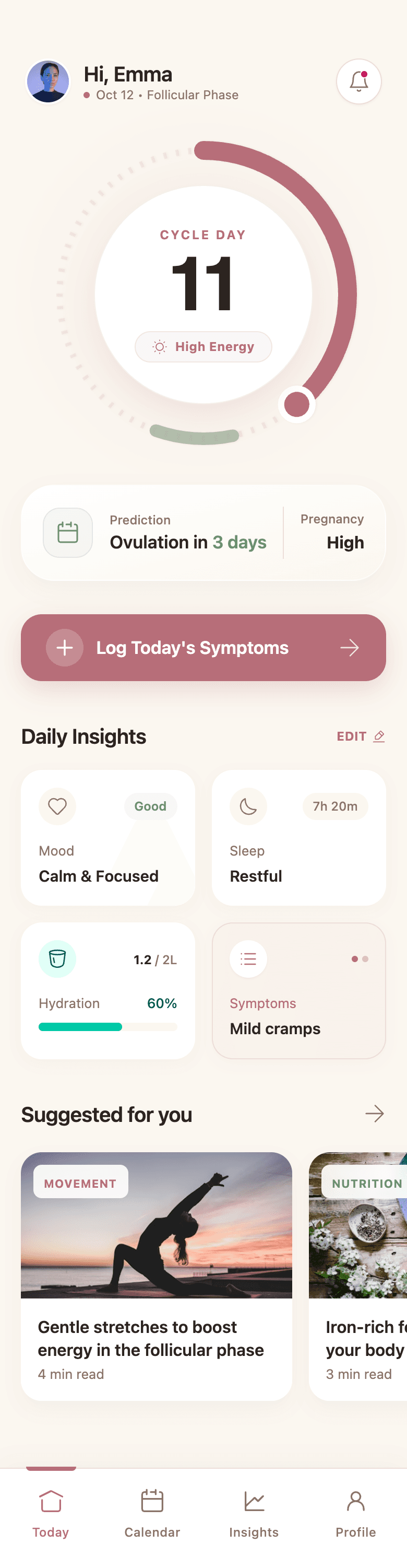
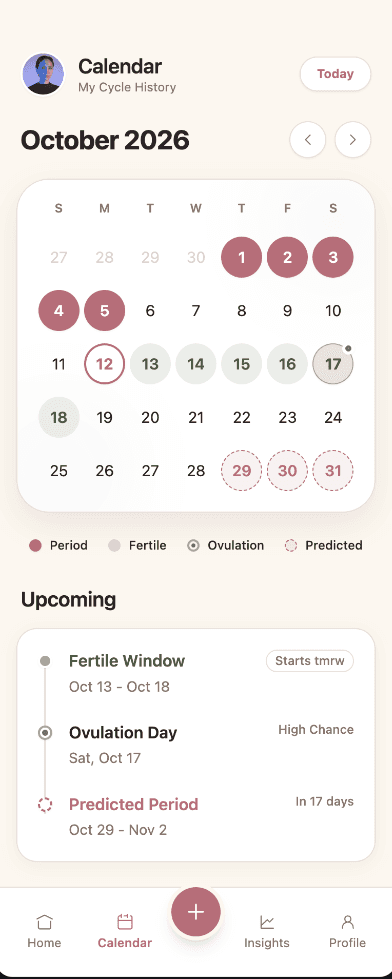
Generate the whole flow
Start with onboarding, dashboards, settings, and the states between them. Wirefraime plans the screens as one product instead of creating isolated frames.
AI wireframe generator
Wirefraime plans the screens, creates the interface, covers important UI states, and keeps the whole flow visually consistent—so founders and product teams can validate an idea before development begins.
Plans from $3/mo billed annually · Cancel any time
The short answer
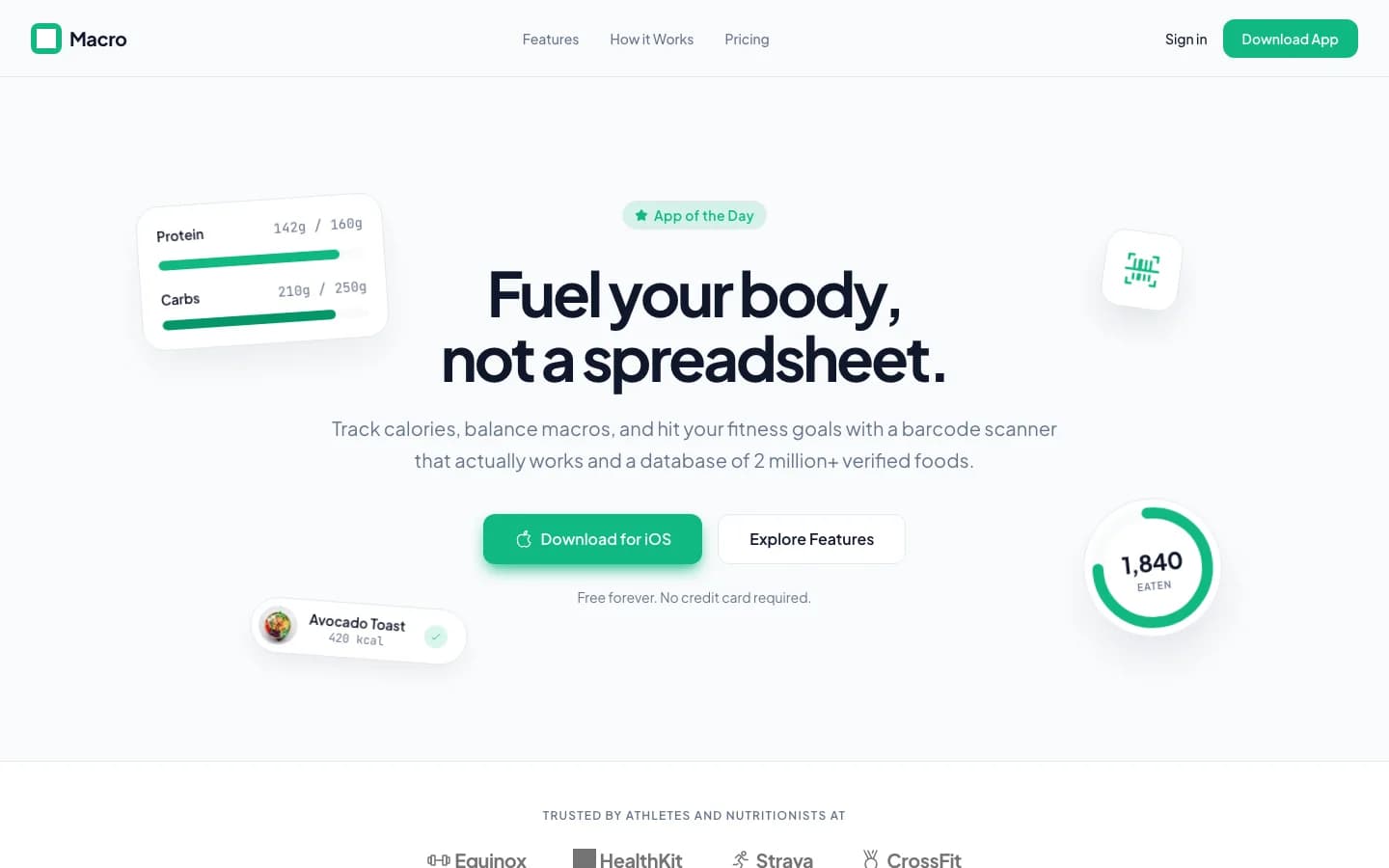
An AI wireframe generator turns a written product brief into visual interface structure. Wirefraime goes beyond a single low-fidelity frame: it plans a connected set of screens, produces high-fidelity UI, creates a shared design system, and keeps the result editable. That makes the output useful for product discussion, user-flow review, stakeholder approval, and developer handoff—not only early brainstorming.
Why teams use it
Start with onboarding, dashboards, settings, and the states between them. Wirefraime plans the screens as one product instead of creating isolated frames.
Colors, type, spacing, components, and interaction patterns come from one reusable design system, so later screens do not feel bolted on.
Select an element on the canvas or describe a change in chat. Adjust copy, layout, color, and components while preserving the rest of the design.
Export PNGs for review, clean HTML and Tailwind for implementation, or a Next.js project when the flow is ready to move into development.
How it works
Explain the users, main job, essential features, and visual direction in plain language.
Wirefraime turns the brief into a screen map and generates a coherent UI flow on the canvas.
Edit individual elements, ask for broader changes, then export the screens or code for your team.
Common questions about designing with Wirefraime.
Yes. Multi-screen generation is the core workflow. A product brief can become onboarding, primary workflows, settings, empty states, and other screens that belong to the same design system.
Yes. You can edit elements on the canvas and use chat-based refinement to change the copy, layout, components, and visual direction.
Wirefraime creates high-fidelity interface screens with real components and content. The result is intended for product validation and handoff, not only boxes-and-arrows exploration.
Yes. Paid plans include PNG export, HTML and Tailwind export, and full Next.js project export.
Starter is $5 month-to-month or $3/mo billed annually, with 7 screens per month. Pro is $20 month-to-month or $12/mo billed annually, with 40 screens per month. Ultra is $40 month-to-month or $24/mo billed annually, with 100 screens per month.
Start with a prompt, review the full flow, refine the details, and export when the design is ready.