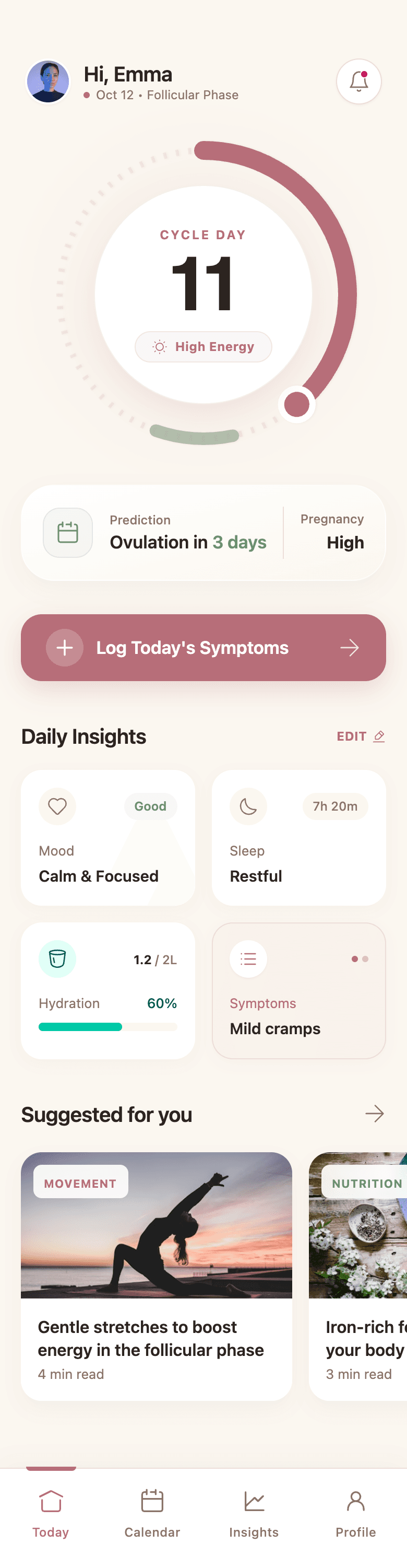
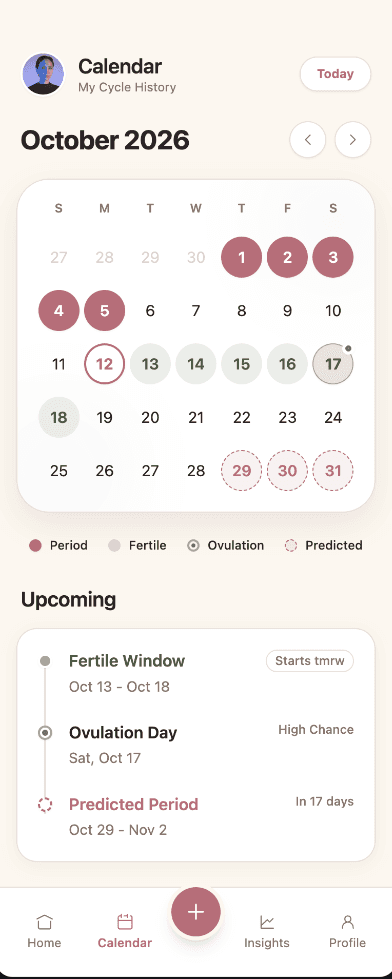
Phone-first layouts
Screens use mobile patterns like tab bars, sheets, large tap targets, and safe-area spacing instead of shrunken desktop pages.
AI mobile app design generator
Describe the app you want to build. Wirefraime plans the flow, designs phone-sized screens with real content, and keeps every screen on one design system, ready to refine and hand off.
Plans from $3/mo billed annually · Cancel any time
The short answer
It turns a written description of an app into mobile interface screens. Wirefraime plans the user journey first (onboarding, the core loop, detail views, settings, and empty states), then designs each screen at phone size (390 × 844) with touch-friendly controls, mobile navigation patterns, and a consistent visual system. Every screen stays editable, so the result is a starting point your team can review, change, and build from rather than a static picture.
Why teams use it
Screens use mobile patterns like tab bars, sheets, large tap targets, and safe-area spacing instead of shrunken desktop pages.
Get onboarding, home, detail, and settings screens planned as one flow, so you can review how a user moves through the app.
Color, type, radius, and components come from a generated design system, so screen five matches screen one.
Export PNGs for stakeholder review, or HTML, Tailwind, and Next.js code as a head start for your developers.
How it works
Who it's for, what it helps them do, and the look you're after. You can attach a reference screenshot too.
Wirefraime proposes the screens, then designs them side by side on a canvas with phone frames.
Click any element to edit it, or ask in chat for broader changes. Export when the flow is ready.
Common questions about designing with Wirefraime.
Screens are designed at a standard 390 × 844 phone size with platform-neutral mobile patterns. You can ask for iOS- or Material-style conventions in your prompt or during refinement.
Yes. Pick Mobile, Tablet, or Web before you generate, or choose Auto and Wirefraime picks a platform based on your prompt.
No. Wirefraime stays at the design layer. You get editable screens and front-end code (HTML, Tailwind, or a Next.js project) that developers can wire up to real data.
Yes. Add a reference image to your prompt and Wirefraime uses it as visual direction for layout and style.
Starter is $5 month-to-month or $3/mo billed annually, with 7 screens per month. Pro is $20 month-to-month or $12/mo billed annually, with 40 screens per month. Ultra is $40 month-to-month or $24/mo billed annually, with 100 screens per month.
Start with a prompt, review the full flow, refine the details, and export when the design is ready.